WhatsApp & messaging MOFU
Why WhatsApp Mass Messages Block Your Account and How to Fix It
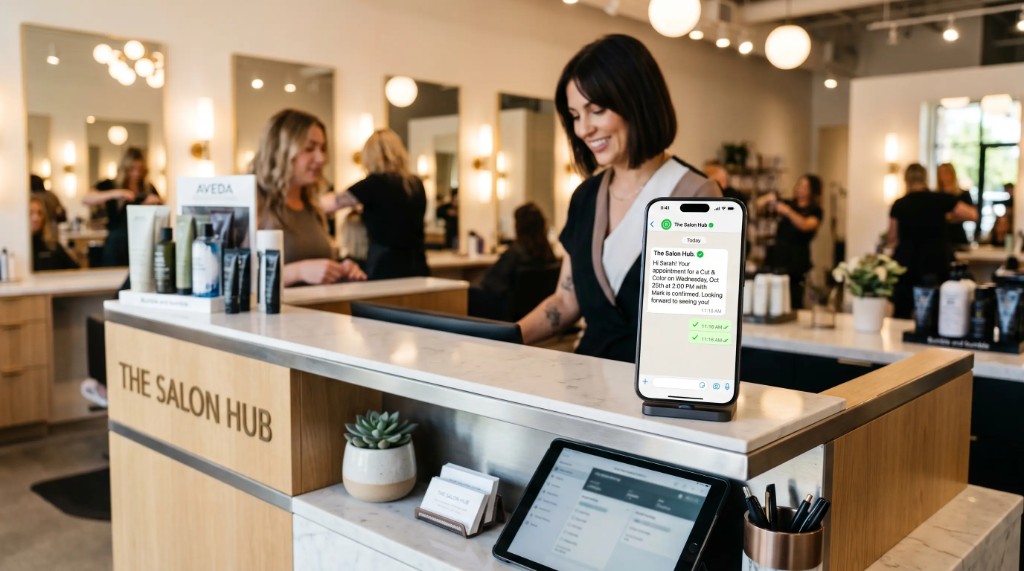
For any salon, aesthetics center, or barbershop in Colombia, losing business WhatsApp is a commercial tragedy.
It is where appointments are booked, changes coordinated, and loyal clients stay connected.
Many owners buy pirated tools promising "mass ads to thousands of contacts in one click."
Meta detects unusual behavior and suspends the line within minutes. Recovering a spam-blocked number is bureaucratic and hard.
We explain why mass messages get blocked and how to automate with a clean, safe strategy.
The 3 technical triggers that get your WhatsApp blocked
Meta’s algorithms analyze WhatsApp Business accounts in real time. You enter red-risk zone if you do any of these:
- Simultaneous identical mass text: blasting the same message to 300–500 people at once flags robotic behavior and immediate blocking.
- Messages to people who did not save you: bought lists or old clients who deleted you drive very high rejection rates.
- The "Report spam" button: if three or four users report or block quickly, the system suspends the account instantly.
The difference between spam and organic automation
Send speed
Pirated mass blast (spam): Hundreds of messages per second
GlowSaaS automation: Spaced sends per minute (human pattern)
Personalization
Pirated mass blast (spam): Flat, identical, cold text for everyone
GlowSaaS automation: Unique messages with name, time, and service
Content relevance
Pirated mass blast (spam): Unsolicited ads (invasive offers)
GlowSaaS automation: Useful reminders clients expect to receive
Block risk
Pirated mass blast (spam): Critical (over 90% probability)
GlowSaaS automation: Safe and optimized for daily use
How GlowSaaS smart sending works
GlowSaaS does not use mass spam. It connects your calendar to WhatsApp through organic, spaced automation:
- Client books appointment
- GlowSaaS processes data
- Message queued with 2–3 min human delay
- Safe personalized WhatsApp send
- Human delay algorithm (Smart Delay): when five clients book at once, messages queue with variable 2–3 minute gaps, mimicking a receptionist typing one by one.
- Hyper-specific personalization: each message uses real-time variable data tags — name, assigned barber, appointment time, and link to cancel or reschedule.
- Utility-based messaging: only operational info clients need (confirmation or 3-hour reminder), driving near-zero spam reports.
Frequently asked questions about WhatsApp security
What if WhatsApp already blocked my salon number?
Open the app and choose "Request review." Explain professionally you are a local business notifying appointments. If restored, stop mass blasts and switch to regulated software.
Does GlowSaaS charge extra per WhatsApp message?
No. Software connects directly to your current WhatsApp Business. Main plans include unlimited sends and interactions with no surprise message package fees.
Can I still use personal WhatsApp while the software runs?
Absolutely. The system runs in the background. You can chat with suppliers, family, or take calls normally while GlowSaaS automates calendar appointments.
Build professional communication without blocks
Do not expose your brand or client database with unstable tools that break today’s rules.
Give your barbershop or beauty salon enterprise-grade structure and communicate with full security and peace of mind.